
The Upgrade Pressure Is Real — But So Is the Cost
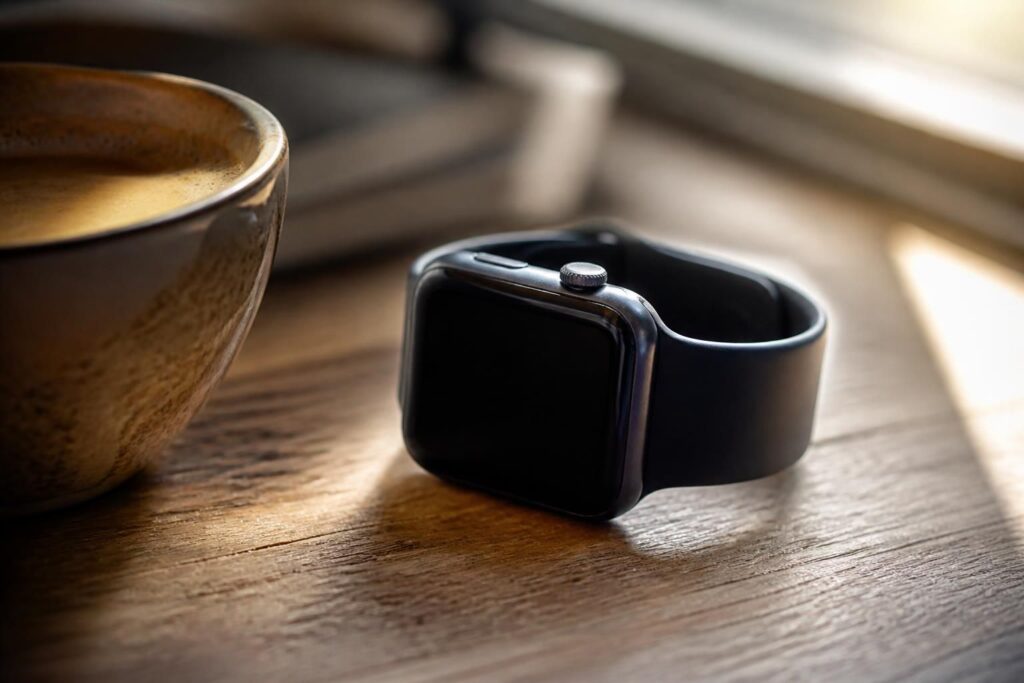
Every fall, Apple announces a new version of watchOS, and every fall, a handful of older Apple Watch models get left behind. This year was no different. My watch — a perfectly functional device I’ve worn daily for years — is no longer eligible for the latest software update. The notifications still arrive. The heart rate sensor still works. The battery still gets me through the day. And yet, somewhere in the back of my mind, a voice whispers: maybe it’s time to upgrade.
That voice, I’ve come to realize, is not my own. It belongs to a culture of planned obsolescence that has quietly shaped how we think about consumer electronics. The moment a device stops receiving software updates, we’re conditioned to treat it as broken — even when it clearly isn’t.
What You Actually Lose Without the Latest watchOS
Let’s be honest about what missing a major watchOS update actually means. In most cases, you lose access to a handful of new features — things like updated watch faces, new health tracking algorithms, or tighter integration with the latest iPhone software. These are real losses, but they’re rarely critical ones.
What you don’t lose is the core functionality that made the device worth buying in the first place. My watch still tracks my workouts, monitors my sleep, sends me notifications, and lets me pay at the register with a tap. The fundamental utility of the device hasn’t changed just because a newer software version exists.
That said, there are legitimate concerns. Security patches are often bundled with major OS updates, which means older devices can eventually become more vulnerable. Apple does sometimes backport critical fixes, but not always. This is worth monitoring — though for most users, the immediate risk is lower than the marketing cycle would have you believe.
The Environmental Case for Keeping What Works
There’s a conversation happening in the tech industry that doesn’t get nearly enough airtime: the environmental cost of hardware upgrades. Manufacturing a new smartwatch requires rare earth metals, significant energy, and global supply chains that carry their own carbon footprint.
“The greenest device is the one you already own.” — a principle increasingly cited by sustainability researchers and right-to-repair advocates alike.
When we discard a functioning electronic device simply because it no longer runs the newest software, we’re contributing to a growing e-waste problem. According to the Global E-waste Monitor, the world generated over 62 million metric tons of electronic waste in 2022 alone. Choosing to keep a working device for an extra year or two is one of the most concrete environmental decisions an individual consumer can make.
How I’m Making the Most of My Older Watch
Deciding not to upgrade doesn’t mean accepting a degraded experience. There are several practical steps I’ve taken to get the most out of my current device:
- Optimizing battery health by avoiding full charges overnight and keeping the watch away from extreme temperatures.
- Disabling background app refresh for apps I rarely use, which keeps performance snappy.
- Sticking with watch faces that are lightweight and don’t rely on features introduced in newer watchOS versions.
- Using third-party apps that maintain compatibility with older OS versions — many developers still support them.
- Staying informed about any security advisories from Apple so I can act quickly if a genuine vulnerability is disclosed.
None of these steps require technical expertise. They’re small habits that add up to a meaningfully extended device lifespan.
When Upgrading Actually Makes Sense
I want to be clear: I’m not arguing that upgrading is always wrong. There are situations where it genuinely makes sense, and being honest about them matters.
If your watch battery no longer holds a charge through the day, if the hardware has developed a fault that affects core functionality, or if a new model introduces a health feature that directly addresses a medical need — those are real reasons to consider a new device. Similarly, if your watch is so old that it can no longer communicate properly with a new iPhone, the friction may outweigh the savings.
The key distinction is between upgrading because you need to and upgrading because the marketing cycle has made you feel like you should. One is a practical decision; the other is a reflex worth examining.
A Different Way to Think About Technology Ownership
The broader lesson here extends well beyond smartwatches. We’ve entered an era where software-defined obsolescence has become one of the primary levers companies use to drive hardware sales. When a device stops receiving updates, it doesn’t physically break — but the narrative around it shifts in ways designed to make you feel like it has.
Pushing back against that narrative doesn’t require becoming a tech minimalist or swearing off new devices forever. It just requires asking a simple question before every potential upgrade: what problem am I actually solving? If the answer is “none, really” — then the device you already own is probably doing its job just fine.
My Apple Watch may not run the latest watchOS. But it runs my day, and for now, that’s enough.