

Why Summer Is the Real Test for Smart Home Systems
When temperatures climb, your home’s energy consumption spikes dramatically. Air conditioning units run longer, refrigerators work harder, and outdoor lighting schedules shift. For homeowners who have invested in smart home technology, summer is actually the perfect opportunity to put those devices to work in meaningful, measurable ways. Rather than letting your smart devices sit on default settings, a few targeted adjustments can make a significant difference in both comfort and monthly costs.
The good news is that most modern smart home ecosystems — whether you’re using Google Home, Amazon Alexa, Apple HomeKit, or a dedicated platform like SmartThings — offer seasonal customization options that many users simply never explore.
Smart Thermostat Settings That Actually Work in Summer
Your smart thermostat is arguably the most impactful device you own when it comes to summer optimization. The default learning schedules that most thermostats build during spring may not reflect your summer routine, especially if you work from home, have children on school break, or spend more time outdoors in the evenings.
Start by reviewing and manually adjusting your thermostat’s schedule for summer. Energy experts generally recommend setting the temperature to around 78°F (26°C) when you’re home and allowing it to rise a few degrees when the house is empty. Pair this with geofencing features — available on devices like the Ecobee or Nest — so your system automatically adjusts when you leave and pre-cools the house before you return.
“Pre-cooling your home during off-peak hours, typically before noon, can reduce your electricity bill by up to 15% compared to running air conditioning at full power during peak afternoon heat.” — U.S. Department of Energy
Also consider enabling your thermostat’s humidity control settings. High humidity makes heat feel more intense, and many smart thermostats can coordinate with compatible dehumidifiers to maintain a comfortable indoor environment without over-relying on air conditioning alone.
Automating Blinds, Shades, and Lighting for Solar Gain Control
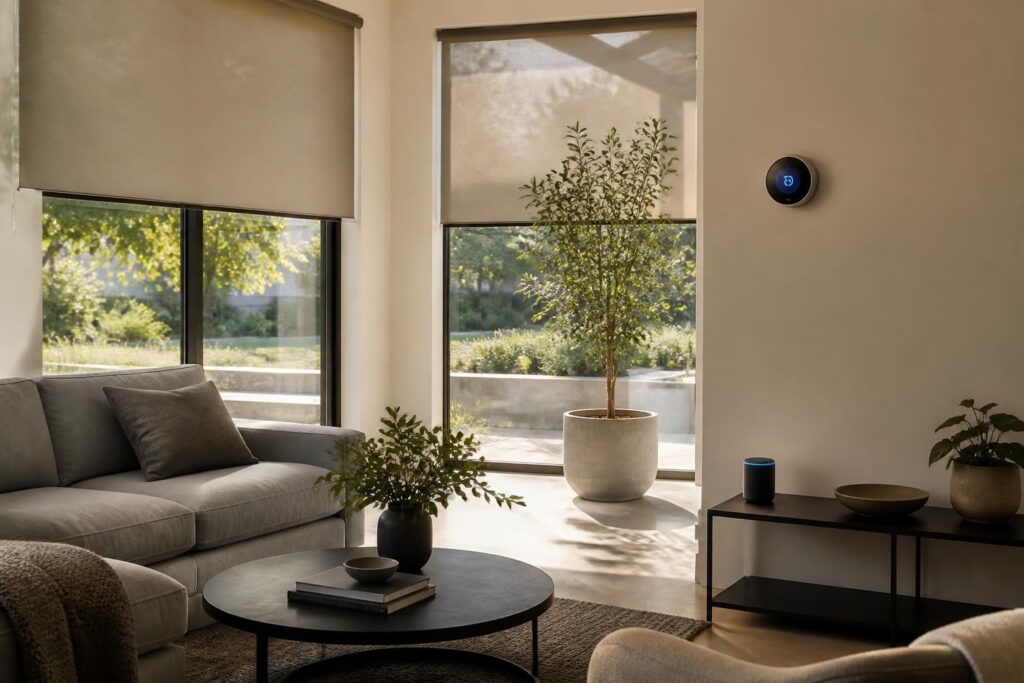
One of the most underrated summer strategies involves managing solar heat gain — the warming effect caused by sunlight entering through windows. Smart motorized blinds or shades, such as those compatible with the Lutron Serena or IKEA FYRTUR systems, can be scheduled to close automatically during the hottest parts of the day, typically between 10 a.m. and 4 p.m.
This passive cooling approach can reduce indoor temperatures by several degrees without using a single watt of air conditioning. When paired with smart lighting that adjusts to natural daylight levels, you also reduce the heat generated by artificial bulbs — a small but cumulative benefit over a full summer season.
- Schedule south- and west-facing blinds to close from late morning through mid-afternoon.
- Use sunrise and sunset automations rather than fixed times, since daylight shifts throughout the season.
- Switch to LED smart bulbs if you haven’t already — they emit far less heat than incandescent alternatives.
- Set outdoor lighting to activate only after true sunset to avoid unnecessary daytime energy use.
Managing Outdoor Smart Devices and Irrigation Systems
Summer is prime time for outdoor smart devices: garden irrigation controllers, outdoor cameras, smart plugs for patio lighting, and even connected pool equipment. Each of these deserves a seasonal review.
For smart irrigation systems like Rachio or RainBird, summer means recalibrating watering schedules based on local weather data. Most modern controllers pull real-time weather feeds and adjust automatically, but it’s worth verifying that your system is configured to skip watering after rainfall and to water during early morning hours when evaporation rates are lowest.
Outdoor security cameras can also suffer in summer heat. Check that camera housings are not in direct sunlight for extended periods, and review your motion sensitivity settings — heat shimmer and increased outdoor activity can trigger excessive false alerts. Adjusting detection zones and sensitivity thresholds will keep your notifications useful rather than overwhelming.
Energy Monitoring and Smart Plugs: Finding the Hidden Drains
Summer often brings additional appliances into play: portable fans, window AC units, dehumidifiers, outdoor speakers, and electric grills. Plugging these into smart energy monitoring plugs — such as those from TP-Link Kasa or Eve Energy — gives you real-time visibility into exactly how much power each device is consuming.
This data is genuinely useful. You might discover that an older window AC unit is consuming three times as much power as expected, or that a device left on standby is drawing more current than anticipated. Armed with this information, you can make smarter decisions about which devices to upgrade, schedule, or simply unplug when not in use.
- Install smart plugs on high-consumption seasonal appliances first.
- Review energy reports weekly for the first month to identify patterns.
- Set automatic shutoff schedules for devices that tend to be left on accidentally.
- Use the data to compare performance before and after any changes you make.
Bringing It All Together with Scenes and Routines
The real power of a smart home lies in automation routines that combine multiple devices into a single, seamless action. For summer, consider creating a “Good Morning” scene that opens the blinds, turns on a fan, and sets the thermostat to a comfortable daytime temperature — all triggered when your alarm goes off. An evening “Sunset” routine might close the blinds, dim the lights, switch on the patio string lights, and activate the irrigation system.
Most platforms allow you to create these routines with conditional logic — for example, only activating the irrigation if no rain is forecast, or only pre-cooling the house if the outdoor temperature exceeds a certain threshold. Taking an hour or two at the start of the season to build these routines pays dividends every single day through summer.
Smart home optimization is not a one-time task. Revisit your settings every few weeks as your routine evolves, and don’t hesitate to iterate. The technology is flexible — your configuration should be too.