



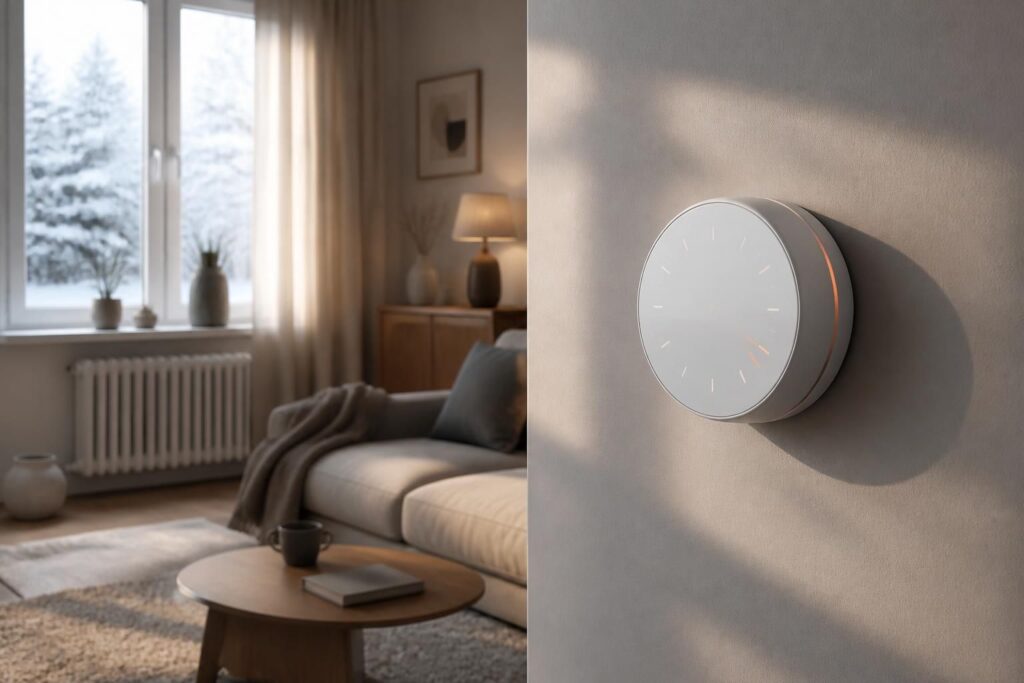
Why Smart Heating Is Worth the Investment
Heating accounts for a significant portion of household energy consumption — often between 50% and 70% of annual energy bills depending on climate and home insulation. Upgrading to a smart thermostat is one of the most straightforward ways to reduce that cost without sacrificing comfort. Unlike traditional thermostats, connected models learn your habits, adapt to your schedule, and can be controlled remotely from a smartphone.
Beyond convenience, the environmental argument is compelling. Reducing unnecessary heating by even a few degrees during hours when no one is home can cut energy use substantially over a winter season. According to the U.S. Department of Energy, turning your thermostat back 7–10°F for 8 hours a day can save up to 10% on heating costs annually.
“A smart thermostat pays for itself within a year for most households, especially those with irregular schedules or multiple heating zones.” — Energy Saving Trust
Choosing the Right Connected Thermostat
The market offers a wide range of devices, from entry-level programmable models to fully AI-driven systems. Before purchasing, consider a few key factors:
- Compatibility with your heating system: Not all thermostats work with every boiler or HVAC setup. Check whether your system uses a single-stage or multi-stage setup, and confirm compatibility with the device’s specifications.
- Smart home integration: If you already use Amazon Alexa, Google Home, or Apple HomeKit, choose a thermostat that integrates natively with your existing ecosystem.
- Learning capabilities: Some models, like the Google Nest Learning Thermostat, adapt to your routine automatically. Others require manual scheduling but offer more granular control.
- Display and interface: A clear, readable display matters if you prefer adjusting settings directly on the device rather than through an app.
Popular options include the Google Nest, Ecobee SmartThermostat, Honeywell Home T9, and Tado. Each has its strengths, and the best choice depends on your specific heating infrastructure and lifestyle.
Step-by-Step Installation Guide
Installing a smart thermostat is a task most homeowners can handle without professional help, provided they follow safety precautions carefully.
- Turn off the power to your heating system at the circuit breaker before touching any wiring.
- Remove your old thermostat and take a photo of the existing wiring before disconnecting anything. This reference image is invaluable during reinstallation.
- Label each wire according to its terminal (R, C, W, Y, G are the most common). Most smart thermostat apps now include a wiring guide that walks you through this step.
- Mount the new thermostat base on the wall, connect the labeled wires to the corresponding terminals, and attach the display unit.
- Restore power and follow the on-screen setup wizard, which will walk you through connecting to your Wi-Fi network and configuring basic preferences.
If your system lacks a C-wire (common wire), which provides continuous power to the thermostat, some manufacturers include an adapter or power bridge. Check the product documentation before assuming your setup won’t work.
Configuring Schedules and Automation
Once installed, the real value of a smart thermostat comes from thoughtful configuration. Start by setting a heating schedule that reflects your actual daily routine. Most apps allow you to define different temperature targets for morning, daytime, evening, and overnight periods, as well as separate profiles for weekdays and weekends.
Enable geofencing if your device supports it. This feature uses your smartphone’s location to detect when you leave or return home, automatically adjusting the temperature without requiring manual input. It’s particularly useful for households with unpredictable schedules.
Many thermostats also offer an eco or away mode that maintains a minimum temperature to protect pipes from freezing while consuming as little energy as possible. Setting this correctly before the first cold snap is important — typically between 12°C and 16°C (54°F–61°F) is a safe range for unoccupied spaces.
Monitoring Energy Use and Optimizing Over Time
Most smart thermostat apps provide detailed energy consumption reports, showing how long your heating ran each day, what triggered it, and how your usage compares to similar households. These insights are genuinely useful for identifying inefficiencies.
Look for patterns: if your heating runs heavily on certain mornings, you may need to adjust insulation, check for drafts, or reconsider your schedule settings. Some systems also integrate with local weather forecasts to pre-heat your home ahead of an incoming cold front, improving efficiency further.
It’s also worth checking whether your energy provider offers a demand response program. Some utilities partner with thermostat manufacturers to offer bill credits in exchange for allowing minor temperature adjustments during peak grid demand periods. Participation is voluntary and the impact on comfort is generally minimal.
Common Mistakes to Avoid
Even with a quality device, a few missteps can undermine the benefits of smart heating. Avoid placing the thermostat near heat sources such as lamps, direct sunlight, or kitchen appliances, as these will cause inaccurate readings and erratic behavior.
Don’t set the temperature too high when you get home after a cold day — your heating system warms at a fixed rate regardless of how high you set the target, so cranking it to 25°C won’t heat the room any faster. Finally, update the device’s firmware regularly. Manufacturers frequently release updates that improve energy efficiency algorithms and fix connectivity issues, especially at the start of the heating season.