



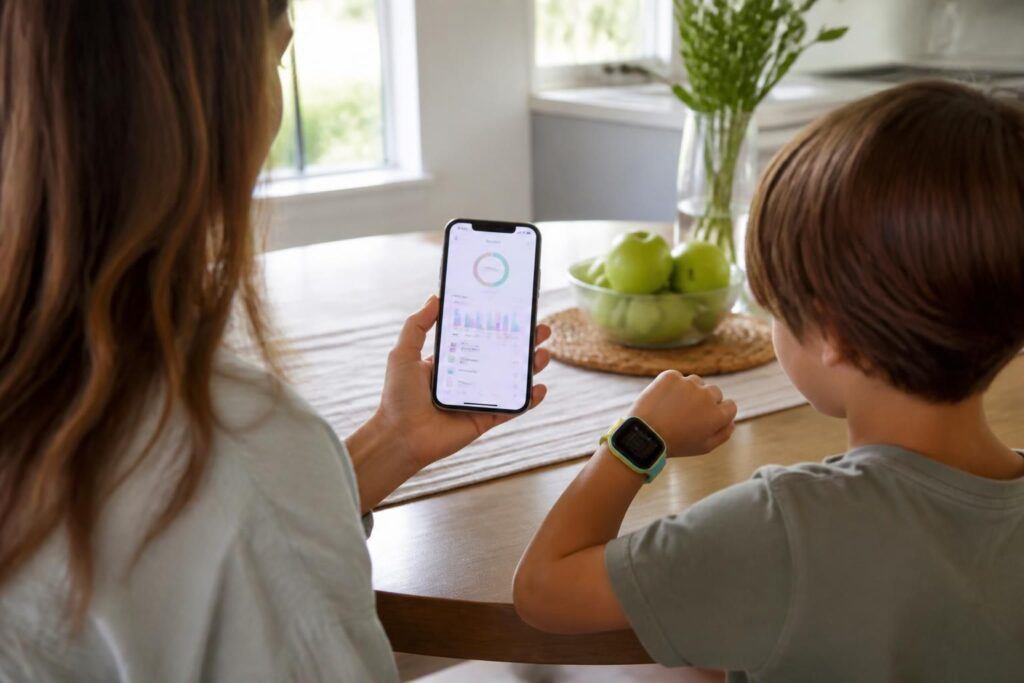
The Fitbit Ace LTE and the App Problem Nobody Talks About
When Fitbit launched the Ace LTE, it was positioned as a smart, connected wearable designed specifically for kids. Parents loved the idea: GPS tracking, activity goals, and a safe messaging environment. But the companion app experience? That’s where things got complicated. Google Health, the default platform tied to most Fitbit devices, was built with adults in mind — and it shows. Its interface, data priorities, and overall design language simply don’t align with what parents of young children actually need.
Enter Bevel. A third-party app that has quietly gained a loyal following among Fitbit Ace LTE users, Bevel approaches the whole experience differently. It’s not trying to be a comprehensive health dashboard for marathon runners or biohackers. It’s trying to be genuinely useful for families — and that distinction matters enormously.
What Google Health Gets Wrong for Kids’ Wearables
To be fair, Google Health is a competent platform for adult fitness tracking. It handles step counts, heart rate data, sleep analysis, and workout logging reasonably well. But when you slot a kids’ device into that ecosystem, the cracks start to show immediately.
First, the interface is cluttered with metrics that are irrelevant for a child wearing a fitness tracker. Detailed VO2 max estimates, stress scores, and sleep stage breakdowns are not exactly what a parent wants front and center when checking in on their eight-year-old. Second, the parental controls within Google Health are minimal at best. You can’t easily set activity goals tailored to a child’s age group, and the notification system isn’t designed with family oversight in mind.
- Overly complex dashboard not suited for children’s data
- Weak parental control features
- No child-specific activity benchmarks
- Syncing issues between the Ace LTE and Google Health have been widely reported
- Limited customization for goal-setting in a family context
These aren’t minor inconveniences. For a device that costs a significant amount and is marketed as a family-friendly product, the app experience should match that promise.
How Bevel Approaches the Experience Differently
Bevel was designed with a clear philosophy: make wearable data accessible and actionable for real people, not just fitness enthusiasts. For Fitbit Ace LTE users specifically, this translates into a noticeably cleaner, more focused interface.
The app presents activity summaries in a way that’s easy to parse at a glance. Parents can see whether their child hit their movement goals for the day without digging through nested menus. The goal-setting system is flexible enough to account for a child’s natural activity patterns, rather than applying adult fitness standards across the board.
“The best technology for kids isn’t the most powerful — it’s the most appropriate. Bevel understands that context in a way that generic health platforms simply don’t.”
Beyond the visual clarity, Bevel also handles data syncing more reliably in day-to-day use. Multiple users in parenting communities have noted that Bevel maintains a more consistent Bluetooth connection with the Ace LTE, reducing the frustrating gaps in data that can occur with Google Health.
Family-Focused Features That Actually Make a Difference
One of Bevel’s strongest advantages is its family-oriented feature set. Unlike Google Health, which treats every user as an independent adult, Bevel acknowledges that a child’s wearable is often managed by a parent or guardian.
The app includes a straightforward family dashboard that lets parents monitor activity data without needing to hand the phone back and forth or log into separate accounts. Notifications are sensible and non-intrusive — you get alerted when your child reaches a milestone, not flooded with raw data points every hour.
- Clean family dashboard with child-appropriate metrics
- Milestone notifications that feel rewarding rather than clinical
- Simplified goal management with age-appropriate defaults
- Better privacy controls aligned with children’s data regulations
- Intuitive history view that shows weekly and monthly trends clearly
Privacy is another area where Bevel distinguishes itself. Given increasing regulatory scrutiny around children’s data privacy — particularly under frameworks like COPPA in the United States — having an app that takes these obligations seriously is not a small thing. Bevel’s approach to data collection is noticeably more conservative and transparent than what Google’s broader ecosystem typically offers.
Performance and Reliability in Everyday Use
Raw features only matter if the app actually works consistently. This is where Bevel earns perhaps its most practical points. Google Health, despite the resources of one of the world’s largest technology companies behind it, has a surprisingly uneven track record when it comes to syncing Fitbit devices reliably. This is partly a legacy issue — Fitbit’s own ecosystem predates Google’s acquisition, and full integration has been slower and bumpier than anyone anticipated.
Bevel, being purpose-built for a tighter use case, sidesteps many of these integration headaches. The app is lighter, faster to load, and doesn’t require navigating through layers of Google account permissions just to see yesterday’s step count. For busy parents who check the app briefly between other tasks, that speed and simplicity is genuinely valuable.
Is Bevel the Right Choice for Every Fitbit Ace LTE User?
Bevel isn’t perfect, and it’s worth being honest about that. It doesn’t offer the depth of health analytics that Google Health provides for adults, and if you’re a parent who also uses Fitbit for your own serious fitness tracking, you may find yourself maintaining two separate apps. That’s a real trade-off.
But for the core audience of the Fitbit Ace LTE — parents who want a reliable, easy-to-use window into their child’s daily activity — Bevel makes a compelling case. It prioritizes the right things, works consistently, and respects the unique context of a kids’ wearable in a way that Google Health currently does not.
The broader lesson here is one the tech industry keeps relearning: context-appropriate design almost always beats raw feature count. A tool built thoughtfully for a specific situation will outperform a generic platform every time, even when that generic platform has far more resources behind it.